
Personal
For one person
US$72 for a 3-year subscription
- Wellbeing: break reminders, sit-stand coach, wellbeing score & trends
- Office ergonomics: training, posture & workstation, discomfort and risk assessments
- Personalised wellbeing recommendations
per person, per month
Every plan gives every person the full office-ergonomics and wellbeing toolkit. The only difference is how often you're billed: once for three years, yearly per pack of five, or yearly per user.
For one person
For teams of up to 500
Add as many 5-user packs as you need; each pack is US$120 a year.
For organisations of 500 or more
Minimum 500 users. One-off implementation fee $5,000 USD.
1 pack of 5 users × US$120
= US$2 per seat, per monthCovers up to 5 people. Add more 5-user packs any time.
Every plan includes the full office-ergonomics and wellbeing toolkit
| Feature | Personal | Teams | Enterprise |
|---|---|---|---|
| Office ergonomics | |||
| Wellbeing | |||
| Management tools | |||
| – | |||
| – | |||
| – | – | ||
| – | |||
| Advanced | |||
| – | |||
| – | – | ||
| – | – | ||
| – | – | ||
| – | – | ||
A self-guided web course on office ergonomics that takes 15–20 minutes. It covers posture, laptop use, lighting, temperature and noise, adjusting your chair and desk, positioning screen, keyboard and mouse, breaks, and working from home. A short quiz at the end of each section checks understanding, and reports show who has completed it.
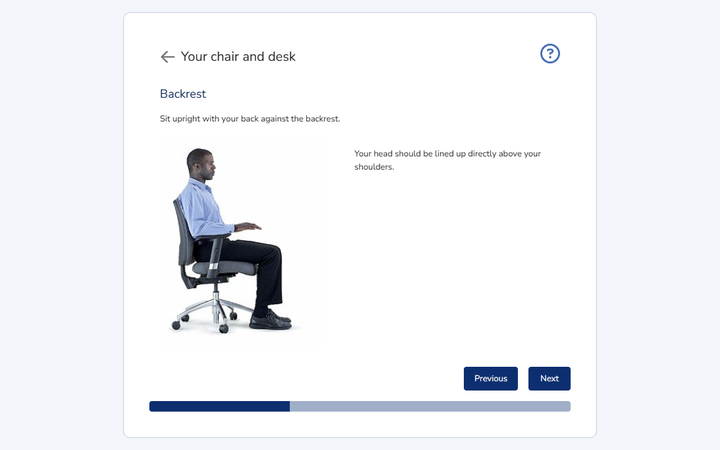
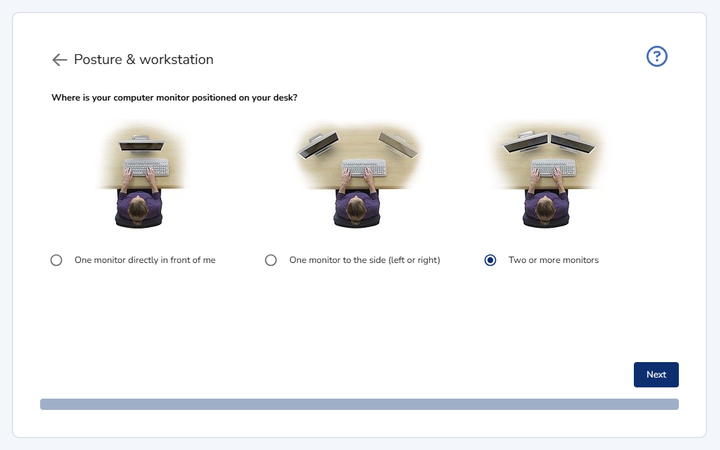
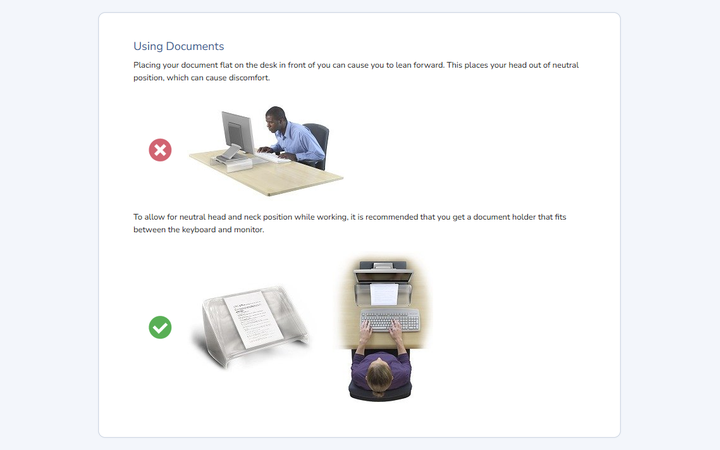
Staff complete their own posture and workstation assessment online in 15–20 minutes. It covers screen position and height, eyesight and glasses, neck and shoulder posture, laptop use, typing style, documents and document holders, gaze direction, and desk and chair setup and adjustability.
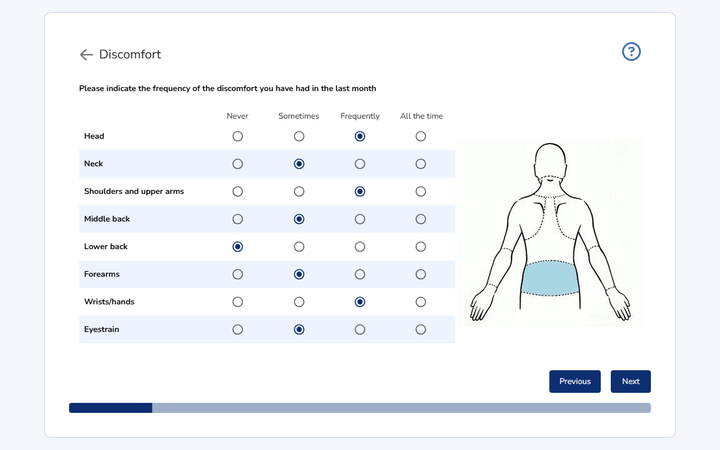
A short survey asking how often the person has felt discomfort in the last month, by body area: head, neck, shoulders and upper arms, middle and lower back, forearms, wrists and hands, and eyestrain. The results feed the individual's risk rating and recommendations.
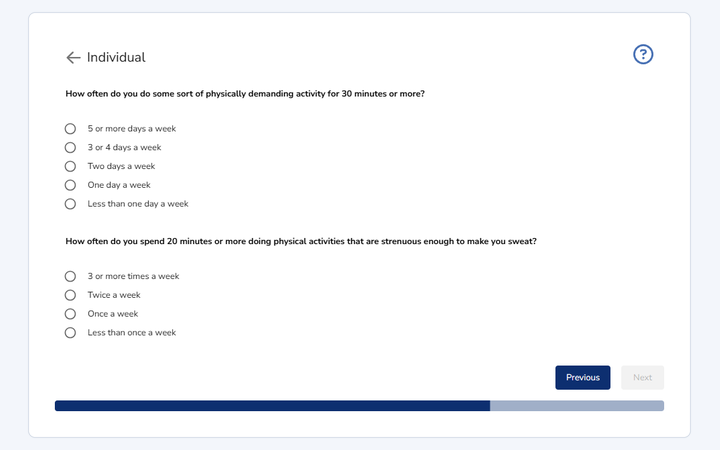
Two short online questionnaires. Individual factors looks at personal risk factors: sensitivity to stress or over-commitment, physical activity, fitness and strength, and the tendency to keep working without breaks. Work environment (based on the Copenhagen Psychosocial Questionnaire) looks at workplace stressors: job control, work demands, mental load, feedback, social support, sense of community and leadership. Answers stay confidential; managers see only summary results.
As soon as an assessment is finished the person receives their own risk report: an overall risk rating (High, Medium or Low), the risk factors identified, and tailored recommendations with step-by-step instructions for fixing their workstation setup or posture.
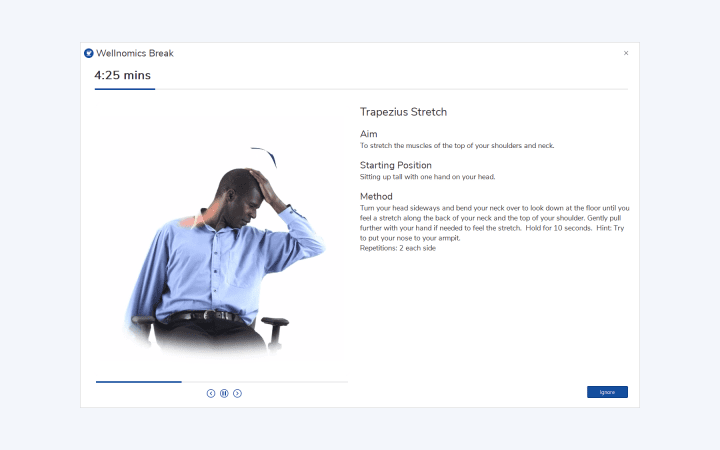
The Wellnomics App runs in the background on the person's computer, monitoring computer use and when breaks are taken. It prompts short micro-pauses and longer stretch breaks, detects natural pauses in work and resets the timer, and guides stretches with an on-screen exercise coach.
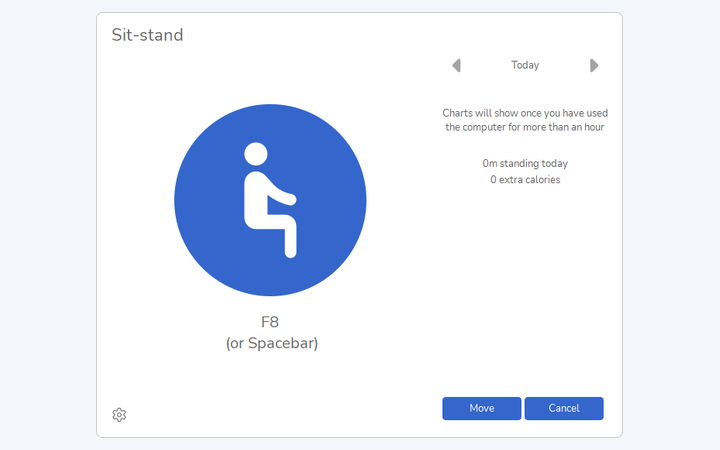
Measures how long you sit and prompts you when to stand or sit so you spend the right amount of time in each posture. Coaching adapts to your actual standing time, works with any height-adjustable desk, and the Wellbeing report tracks your level of standing over time.
A single 0-10 Wellbeing Score, shown live in the app and in the person's online Wellbeing report, summarises computer use, breaks and sit-stand behaviour. A trend chart shows how the score changes over time.
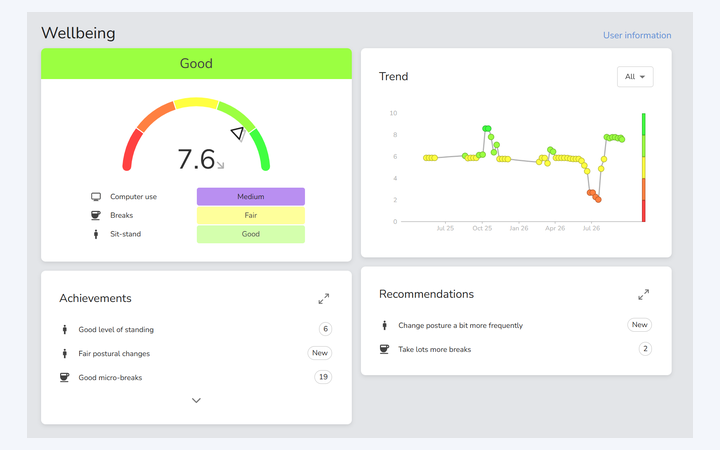
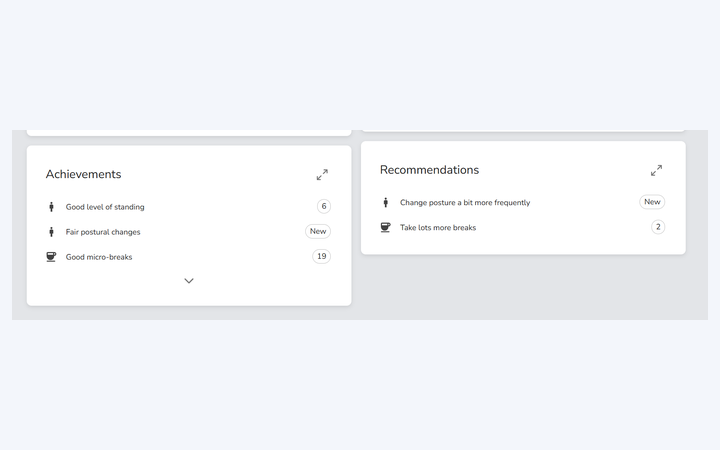
The Wellbeing report lists the person's Achievements, such as a good level of standing or good micro-breaks, and Recommendations generated from their own data, such as taking breaks more frequently or changing posture more often.
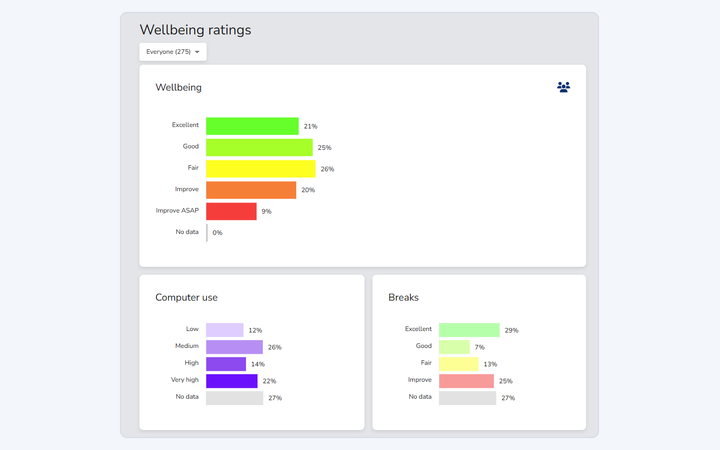
Managers see assessment completions and a High/Medium/Low ergonomic risk summary for their team or organisation, with wellbeing KPIs monitored in real time. Reports drill down from group to individual.
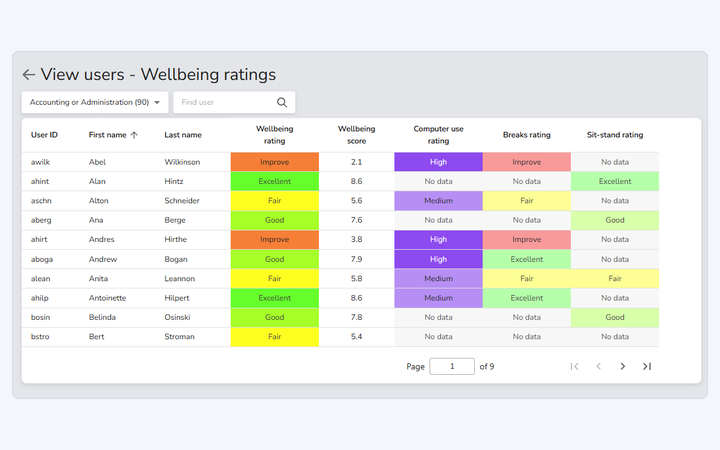
Managers can see which staff have ergonomic risks and what is causing them, then direct guidelines, training, equipment or support to the people who need it.
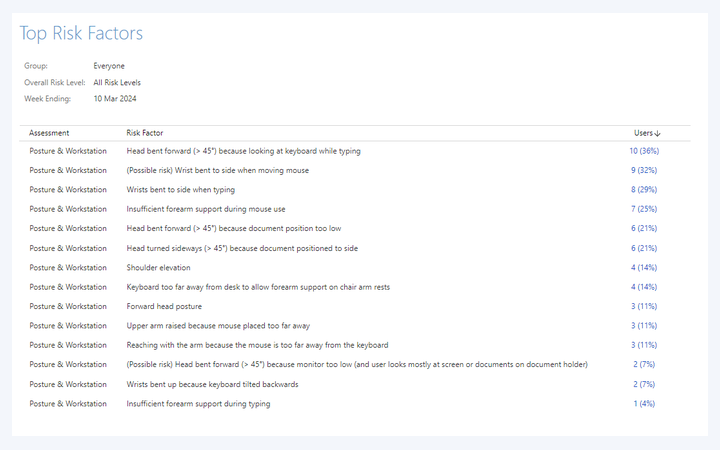
See the underlying ergonomic and behavioural issues across a team, department or the whole organisation, refine your ergonomics guidelines to address them, and track progress over time.
Add free-form notes to a person's record to track their case history, attach photos or documents by drag and drop, and review the full history of risks and actions for that person. Health and safety teams use it as the evidence trail when a case is handed to HR.
Control what each role can see, from confidential individual results down to group summaries only. A minimum group size keeps group reports anonymous, and data-access policies can differ by region to meet GDPR and local privacy law.
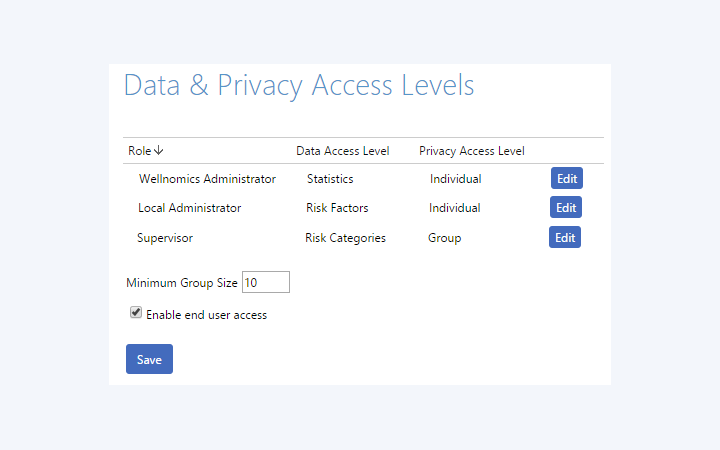
Six pre-defined roles, including Manager, local EHS staff, global EHS manager and IT administrator, each with its own reporting rights and data-access level. Rights can be adjusted globally, per organisation group or per local administrator, and a manager can delegate their reporting access to a colleague.
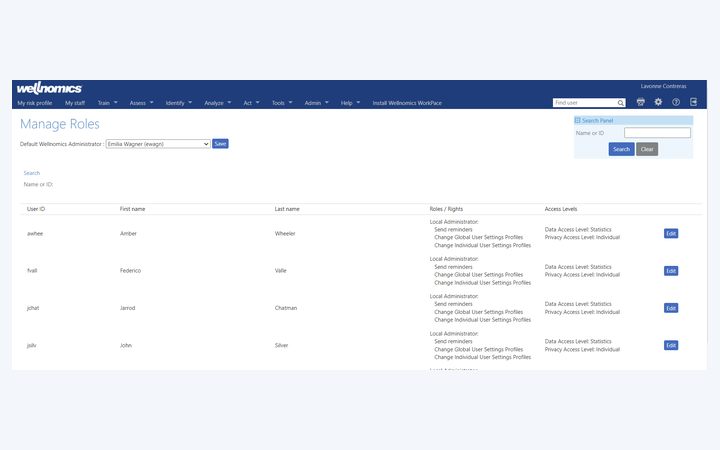
Users, group membership and supervisor relationships are imported from your HR system automatically, daily or weekly. Anyone listed as a supervisor is given the Manager role for their reports, and every import is recorded in the audit log.
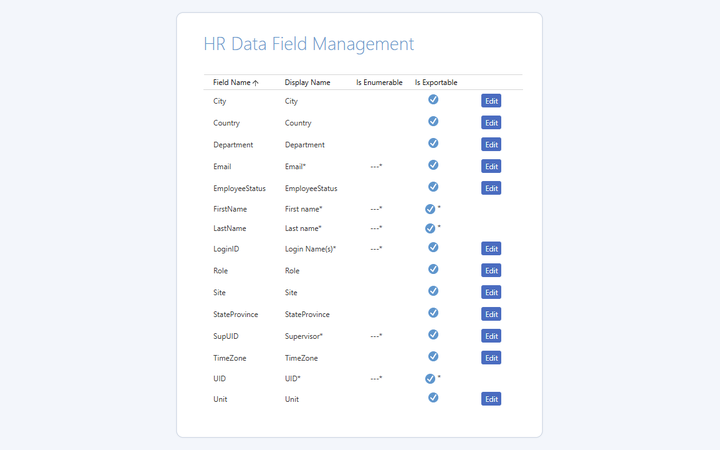
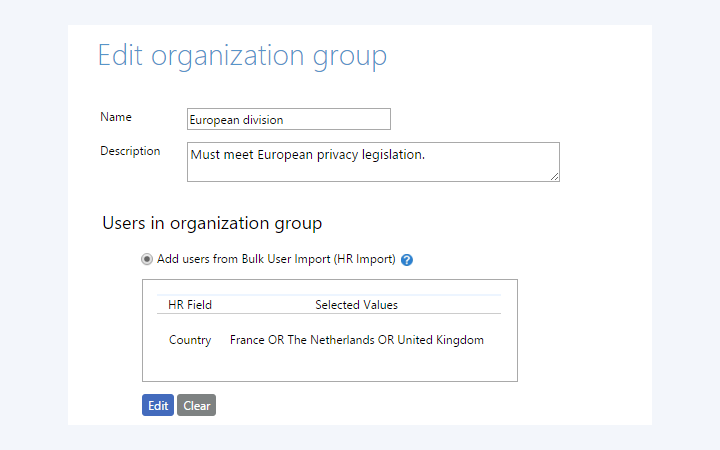
Define organisation groups from any HR field, such as country or department, and they update themselves whenever the HR data changes. Each group can carry its own settings, for example a different privacy policy for European staff or different assessments for a region.
Single sign-on with OAuth and OpenID, so staff sign in with your organisation's existing identity provider.
Prices are shown in US dollars (USD) for United States.
Teams is sold in packs of five users; the calculator rounds up to whole packs. Enterprise requires a minimum of 500 users and includes a one-off implementation fee of $5,000 USD.